> ## Documentation Index
> Fetch the complete documentation index at: https://docs.symetri.app/llms.txt
> Use this file to discover all available pages before exploring further.
# Symetri Documentation
> Everything you need to create professional before & after comparisons for your aesthetic practice.
 ## Welcome to Symetri
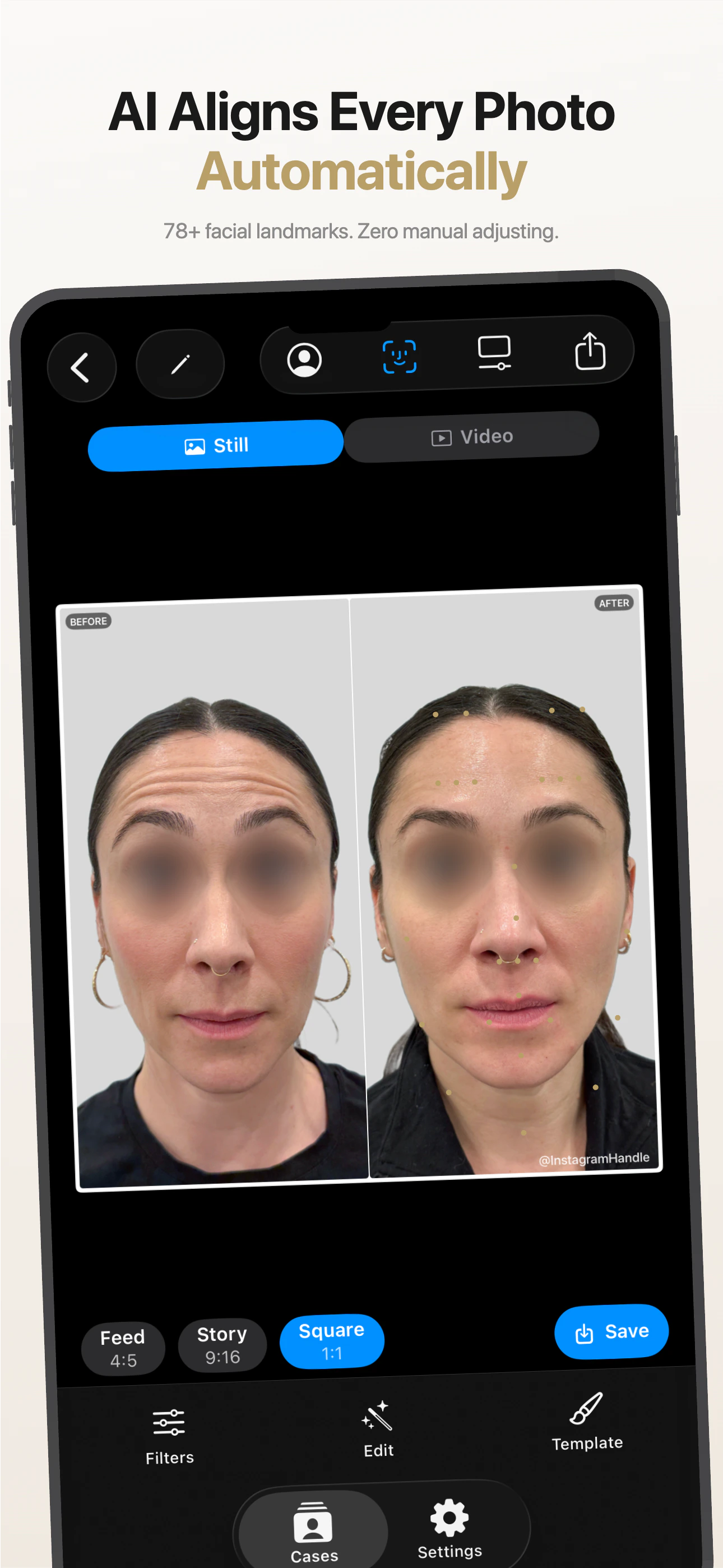
Symetri is the before & after comparison app built for aesthetic medicine professionals — nurse injectors, medspa owners, cosmetic surgeons, and dermatologists. It uses AI-powered face alignment, privacy tools, and branded export to turn your patient photos into professional content in minutes.
This documentation covers everything from taking your first photo to running a fully systemized export workflow across your whole practice.
## Start Here
Create your first case, align photos, and export in 15 minutes.
How to photograph patients so alignment is fast, accurate, and consistent.
Set up your logo, Instagram handle, and export template once — it applies to everything.
Which format to use for Instagram, Reels, TikTok, and more.
## Key Features
Detects 78+ facial landmarks to automatically align position, scale, and rotation between before and after.
Automatic eye blur, Face ID lock, and iOS data encryption keep patient photos protected.
Your logo, Instagram handle, and template style appear on every export automatically.
Document treatments from multiple angles in a single case, with per-angle profiles.
Full-screen AirPlay mirroring for in-room patient consultations with Apple TV.
Export your entire week of cases at once in multiple formats with one tap.
## Browse by Topic
| I want to... | Go to |
| ------------------------------------- | ----------------------------------------------------------- |
| Set up Symetri for the first time | [Quick Start Guide](/getting-started/quick-start) |
| Improve my before & after photos | [Photography Guide](/photography/guide) |
| Set up my clinic logo and branding | [Branding & Templates](/using-the-app/branding-template) |
| Organize cases across my practice | [Case Organization](/using-the-app/case-organization) |
| Present results to patients | [Patient Presentation](/using-the-app/patient-presentation) |
| Export for Instagram and social media | [Export & Social Media](/exporting/social-media) |
| Understand patient photo compliance | [Privacy & Consent](/privacy/consent-guide) |
| Fix a problem | [Troubleshooting](/reference/troubleshooting) |
| Back up my cases before a new iPhone | [Backup & Data Management](/reference/backup-data) |
| See what changed in the latest update | [Changelog](/reference/changelog) |
## Welcome to Symetri
Symetri is the before & after comparison app built for aesthetic medicine professionals — nurse injectors, medspa owners, cosmetic surgeons, and dermatologists. It uses AI-powered face alignment, privacy tools, and branded export to turn your patient photos into professional content in minutes.
This documentation covers everything from taking your first photo to running a fully systemized export workflow across your whole practice.
## Start Here
Create your first case, align photos, and export in 15 minutes.
How to photograph patients so alignment is fast, accurate, and consistent.
Set up your logo, Instagram handle, and export template once — it applies to everything.
Which format to use for Instagram, Reels, TikTok, and more.
## Key Features
Detects 78+ facial landmarks to automatically align position, scale, and rotation between before and after.
Automatic eye blur, Face ID lock, and iOS data encryption keep patient photos protected.
Your logo, Instagram handle, and template style appear on every export automatically.
Document treatments from multiple angles in a single case, with per-angle profiles.
Full-screen AirPlay mirroring for in-room patient consultations with Apple TV.
Export your entire week of cases at once in multiple formats with one tap.
## Browse by Topic
| I want to... | Go to |
| ------------------------------------- | ----------------------------------------------------------- |
| Set up Symetri for the first time | [Quick Start Guide](/getting-started/quick-start) |
| Improve my before & after photos | [Photography Guide](/photography/guide) |
| Set up my clinic logo and branding | [Branding & Templates](/using-the-app/branding-template) |
| Organize cases across my practice | [Case Organization](/using-the-app/case-organization) |
| Present results to patients | [Patient Presentation](/using-the-app/patient-presentation) |
| Export for Instagram and social media | [Export & Social Media](/exporting/social-media) |
| Understand patient photo compliance | [Privacy & Consent](/privacy/consent-guide) |
| Fix a problem | [Troubleshooting](/reference/troubleshooting) |
| Back up my cases before a new iPhone | [Backup & Data Management](/reference/backup-data) |
| See what changed in the latest update | [Changelog](/reference/changelog) |